
Glora AI: Photo & Video Editor
Glora AIPhotography
4.355.00 Reviews
- Version
- 0.8.0
- Installs
- 10.00K
- Age Rating
- Everyone
Screenshots
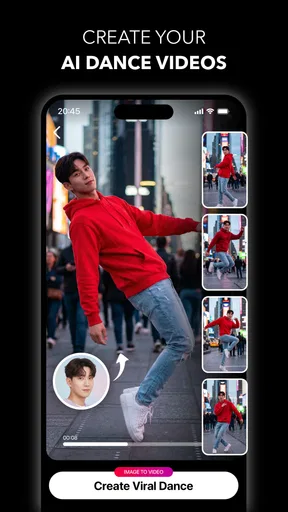
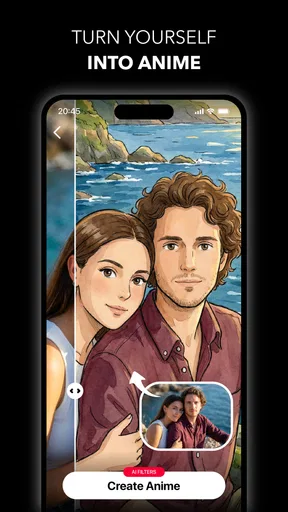
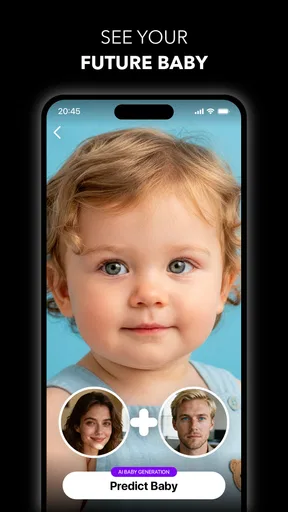
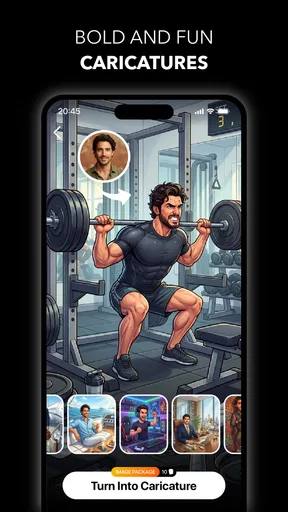
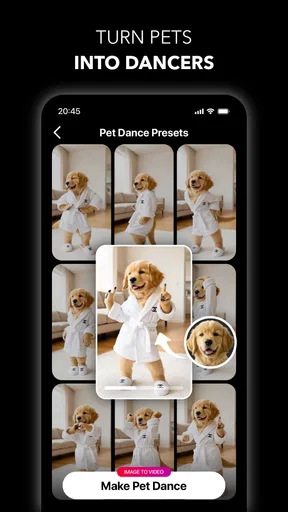
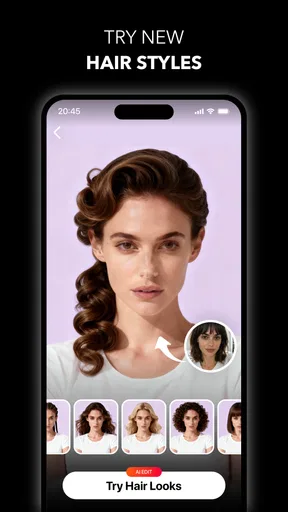
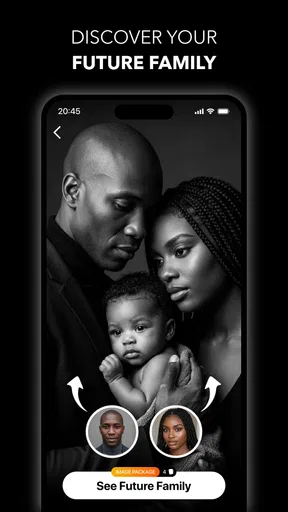
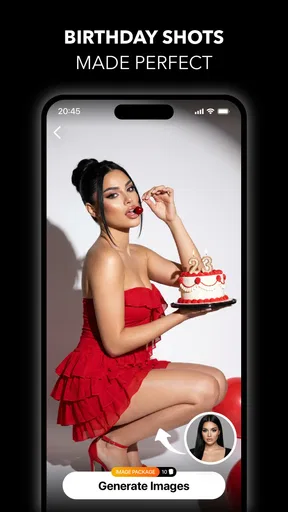
Our Review of Glora AI: Photo & Video Editor
 Analysis by Appyee
I approached Glora AI: Photo & Video Editor as a practical photography app rather than a replacement for a full desktop editor. Its focus is quick, AI-assisted experimentation: changing the style of a portrait, trying an anime look, exploring hairstyle ideas, generating a baby image, or giving an existing photo a more dramatic edit. That makes the important question less about whether it can do everything and more about whether its particular shortcuts match the way you create and share images.
In my experience, this is the kind of app that makes sense when you want an interesting result without spending a long time learning masks, layers, curves, or complicated retouching tools. It is free to install, rated for Everyone, and comes from Glora AI. The current release is version 0.8.0, so I would approach it as a developing creative tool: useful and entertaining, but not something I would automatically choose for every serious photography job.
How I would decide whether it fits
My first decision criterion is the starting material. If you mostly edit selfies, casual portraits, profile pictures, or images intended for social posts, AI transformations can save time and make experimentation enjoyable. If your priority is precise color correction, controlled skin retouching, detailed object removal, or professional export control, a conventional photo editor may still be the better choice.
The second criterion is the kind of creativity you want. Glora AI is more appealing when the goal is to see several possible versions of yourself or your pictures. Anime treatments, hairstyle concepts, baby-generation ideas, and broader AI edits are discovery tools. They encourage you to ask, “What would this look like?” rather than simply correcting exposure or cropping an image.
I also consider how much control I need after the first result appears. Traditional editors usually let me change one adjustment at a time and undo it precisely. AI tools often produce a complete interpretation, which is faster but less predictable. That trade-off matters if the image has important details, a particular identity, or a visual style that must remain consistent.
Finally, I look at the payment model before building a workflow around an app. Glora AI is free to download, while its optional purchases range from $6.99 to $99.99 per item. I would therefore test the free experience first and avoid assuming that every creative option will remain free. The right question is not simply whether the app costs nothing to install, but whether its paid choices are worthwhile for the way I plan to use it.
What the first session feels like
The appeal is immediate because the app is organized around visual possibilities rather than technical lessons. I can begin with a photo and think in terms of a transformation: a different artistic identity, a new hairstyle direction, a playful family-themed image, or a more polished AI edit. That is friendlier than opening a complex editor and wondering which tool to select first.
I would recommend starting with a clear, well-lit portrait. AI transformations have more useful material to work with when the face is visible, the subject is not heavily obstructed, and the image is not already compressed or blurry. This is not a promise that every result will be perfect; it is simply the most sensible way to judge the app fairly. If the first image is difficult, it becomes hard to tell whether the limitation comes from the app or the source photo.
A useful habit is to keep the original image untouched and treat each generated result as a separate creative draft. That makes comparison easier and prevents an experimental version from becoming the only copy. I also prefer checking the whole image before sharing it. AI changes can look convincing around the face while producing awkward hair edges, accessories, hands, or background details.
Where the AI approach is genuinely useful
The strongest part of this app is the reduction of friction between an idea and a shareable image. I do not need to know the exact technical recipe for an anime-inspired portrait or a hairstyle visualization. I can begin with a photo and explore a direction that would otherwise require several editing tools, reference images, and manual adjustments.
That makes it especially useful for people who enjoy visual brainstorming. Someone planning a new haircut could use hairstyle edits as a conversation starter with a stylist, while remembering that an AI preview is not a guarantee of how real hair will fall. Someone preparing a themed post could compare a natural portrait with a more stylized version. A parent or relative might enjoy the baby generator as a playful image-making activity, provided the result is treated as entertainment rather than a prediction.
The app is also a good fit for users who want to create without committing to a single aesthetic. A standard filter changes tone or color, but an AI transformation can change the overall character of an image. That difference is important: filters are usually predictable and reversible, while generative edits are more imaginative and more likely to surprise you.
The best way to use Glora AI is as an idea generator first and a final editor second. I would let it produce the unusual concept, then inspect the result carefully and use a more controlled tool if the image needs exact finishing. This two-step workflow is more realistic than expecting one AI app to handle inspiration, correction, layout, and professional delivery equally well.
A realistic everyday workflow
Imagine I am getting ready to update a profile photo. I would select a recent portrait with a simple background, try a restrained AI edit, and compare it with an anime-style version rather than immediately replacing the original. If the more dramatic result changes my face too much, I would keep the subtler option or return to a conventional editor for cropping and brightness. The value is in quickly seeing directions I might not have considered.
For a hairstyle decision, I would use several photos with similar lighting and keep the head position reasonably consistent. I would compare the generated looks side by side and focus on broad questions—shorter or longer, softer or sharper, fringe or no fringe—rather than treating the image as an exact salon preview. This workflow turns the feature into a discussion aid instead of an unrealistic promise.
For a family-themed image, I would be more careful about presentation. A generated baby image can be fun to share privately with relatives, but I would label it mentally as an imaginative creation and avoid presenting it as a real photograph. That distinction is part of using generative photography responsibly, especially when other people may see the result without context.
Where this app wins against familiar alternatives
Compared with a classic mobile photo editor, Glora AI wins on immediacy and surprise. Conventional apps are better when I already know the correction I want. This one is more attractive when I want the software to propose a new visual direction. That makes it less like a digital darkroom and more like a creative playground built around portraits and AI concepts.
Compared with a basic filter app, it offers a deeper change in the image’s identity. A filter may make a picture warmer, cooler, brighter, or more cinematic. An AI edit can move the picture into a different visual world. The trade-off is that a filter is usually easier to predict, while an AI result may need closer inspection before I trust it.
Compared with a manual design app, Glora AI is faster for a single-person portrait transformation. A design tool may provide better control over text, composition, layers, and branded layouts, but it asks me to do more of the work. If my goal is a poster, a product graphic, or a carefully aligned announcement, I would choose the design tool. If my goal is to explore how one portrait might look in several styles, this app is the more natural starting point.
Compared with specialized beauty or hairstyle applications, its broader range can be an advantage. I can move from appearance experiments to anime concepts and other AI edits without changing the basic creative context. The downside is that a general-purpose AI editor may not offer the same depth of control as an app built around one narrow task. I would choose specialization when accuracy and repeatability matter more than variety.
Limitations I would keep in mind
The main limitation is the loss of fine control that comes with one-tap generation. If the result changes a feature I wanted to preserve, I may not have the same precise correction options available in a layer-based editor. This is not a flaw unique to one app; it is the central compromise of AI editing. Speed comes from letting the system make many decisions at once.
Results can also be inconsistent across different source images. A clean front-facing portrait may produce a more convincing transformation than a dim group photograph, a side profile, or an image with hair covering part of the face. I would not judge the app from one difficult photo, but I also would not assume that a successful result on one image will transfer perfectly to every picture.
Another point is authenticity. The more dramatic the transformation, the less the final image represents an ordinary photograph of the person. That is completely fine for creative posts, jokes, mood boards, and private experimentation. It is less appropriate when the viewer expects an accurate representation, such as a professional profile, a portfolio image, or a hairstyle preview that must closely match reality.
The payment structure deserves attention as well. The free entry point is convenient for trying the concept, but optional purchases can become expensive depending on how often I use premium creative options. I would make a small test before paying for a larger package, especially if I only need the app for one event or one batch of images. A subscription-free assumption would be unwise simply because installation is free.
The app has an average rating of 4.3 from around 559 ratings, with roughly 54 written reviews, and it has passed 10K installs. Those figures suggest that people are finding value in the concept, while also reminding me that this is still a relatively small app community compared with long-established photography platforms. I would expect the experience to evolve as the developer continues refining the product.
Who should use it, and who should skip it
I would recommend it to casual creators, portrait enthusiasts, people curious about generative photography, and anyone who wants quick visual variations without studying a complicated editor. It is particularly suitable for social content where originality and speed matter more than pixel-level control. It can also help someone collect ideas before making a real-world choice about styling, provided the generated image is treated as an approximation.
I would be more cautious recommending it to professional photographers who need dependable color management, repeatable retouching, or a carefully documented editing process. I would also point advanced users toward a manual editor when they need selective adjustments, detailed masking, precise typography, or consistent treatment across a large set of images.
People who dislike AI-generated changes to facial identity may find the experience frustrating, even when the results are technically attractive. Likewise, users who only want simple cropping, resizing, exposure correction, or a few dependable filters may be better served by the photo tools already built into their phone. Installing a specialized AI app is not necessary for tasks that a standard gallery editor handles well.
What switching to it really involves
The cost of switching is low if I use it casually. I can keep my familiar editor for final adjustments and open Glora AI only when I want a transformation or a creative prompt. That hybrid approach avoids rebuilding my entire photo workflow around a newer app and lets me judge its value through actual projects rather than novelty alone.
The bigger cost is attention. AI experimentation can encourage endless variations, and not every version is an improvement. I get better results by deciding what I am trying to learn from each edit: whether a hairstyle direction suits the portrait, whether an anime treatment feels right for a post, or whether a generated concept is worth developing elsewhere. Without that purpose, the app can become a stream of attractive but unused images.
I would also organize the outputs immediately. Saving a favorite with a meaningful filename or placing it in a separate album makes later comparison much easier. Keeping the original alongside the generated version is especially important when the AI has altered facial details or background elements. This small habit prevents confusion and makes the app more useful as part of a broader workflow.
My recommendation after weighing the trade-offs
Glora AI is worth trying if you want playful, portrait-centered AI creation and prefer quick experimentation over manual editing. Its combination of anime ideas, hairstyle exploration, baby generation, and broader AI edits gives it a clear identity within photography apps. I would start with free experiments, use strong source photos, and judge each result as a creative draft rather than an automatically finished photograph.
I would not choose it as my only photo editor. For precise corrections, professional consistency, or designs that depend on exact placement, a traditional editor remains the safer choice. For simple everyday adjustments, the phone’s built-in tools may be enough. But when I want to turn one portrait into several imaginative possibilities, this app offers a convenient path with less technical effort.
Overall, I see Glora AI: Photo & Video Editor as a useful companion rather than a universal solution. Its free starting point lowers the barrier to experimentation, its Everyone rating makes it approachable for a broad audience, and its creative focus gives it more personality than a routine filter collection. I would recommend it to friends who want to explore new looks and share playful images, with one clear condition: keep your expectations flexible, inspect the details, and move to a more controlled alternative whenever accuracy matters more than surprise.
Verdict
Strengths of Glora AI: Photo & Video Editor
- AI tools make complex photo edits accessible to beginners.
- Supports creative effects for both photos and short videos.
- Quick enhancement options are useful for casual social media content.
- A broad template and filter selection encourages experimentation.
- Edits can usually be previewed before saving or sharing.
Limitations of Glora AI: Photo & Video Editor
- Some advanced AI features may require a paid subscription.
- Results can vary noticeably depending on image quality and lighting.
- AI-generated edits may look artificial on certain faces or backgrounds.
- Video editing tools may feel limited compared with dedicated editors.
- Processing and exporting can be slow on older phones.
Similar Picks in This Category
View All
Google Photos
Google LLC4.4

Gallery
Google LLC4.2

Picsart AI Photo Editor, Video
PicsArt, Inc.3.9

B612 AI Photo&Video Editor
SNOW Corporation4.1

BeautyPlus-Selfie Photo Editor
PIXOCIAL TECHNOLOGY (SINGAPORE) PTE. LTD.4.5

Remini - AI Photo Enhancer
Bending Spoons4.1
Frequently Asked Questions
What is Glora AI: Photo & Video Editor used for?
Glora AI: Photo & Video Editor is designed for creating and enhancing visual content on a mobile device. It typically combines AI-powered photo effects, image adjustments, creative filters, templates, and video editing tools in one app. It can be useful for social media posts, profile pictures, short videos, collages, and other personal projects, although the exact tools available may vary by version and device.
Does Glora AI require payment or offer in-app purchases?
The app may be available as a free download, but some advanced effects, premium templates, AI tools, export options, or editing features can require a subscription or one-time purchase. Before starting a trial, carefully check the pricing, renewal terms, and cancellation policy shown in the app store or inside Glora AI. Free features may also include advertisements or limitations on certain exports.
Can Glora AI edit both photos and videos?
Yes, Glora AI is presented as a combined photo and video editor, so users can generally work with still images as well as short video clips. Photo tools may include filters, retouching, effects, and AI transformations, while video tools can include trimming, transitions, music, text, and visual effects. Performance and supported formats may depend on your phone’s hardware and operating system.
Are my photos and videos safe when using Glora AI?
You should review Glora AI’s privacy policy and permission requests before importing personal media. Some AI features may process images or videos online rather than entirely on the device, which can involve uploading content to remote servers. Avoid submitting sensitive material unless you understand how it is handled, stored, and deleted. Only grant access to your media, camera, or microphone when those permissions are necessary.
Is Glora AI suitable for beginners?
Glora AI is generally aimed at casual creators and social media users, making it approachable for beginners who want quick results without learning professional editing software. Templates, presets, and automated AI effects can simplify the process, while manual controls may provide more flexibility for experienced users. However, some features may take experimentation to master, especially when combining multiple effects or editing video.
